
Import and export
Easily exchange product information with Excel and other data sources. With Pimmix's flexible import and export options, you stay in control of
your product data and process large amounts of data efficiently.



Exchange product data easily
From Excel to Pimmix and back
Do you work with large amounts of product information? Then you need to be able to quickly update, add to, and reuse data. With Pimmix, you can import and export product data in a way that fits your workflow.
Select the information you need, decide which attributes to include, and use saved settings to make recurring tasks easier.
The right data, in the right structure
Effective exchange of product information starts with a clear structure. By choosing which products and attributes to select, you stay in control of the data you work with. Whether you want to export a selection of products or add to existing product information via Excel, Pimmix supports a flexible way of working with product data.
Get data from any source
Internal, external - effortlessly bring everything together in one place.
Everything covered
-
Other sources
 Collect product data from every source
The source of the data doesn't matter. Whether it's legacy systems, custom databases or standalone files, Pimmix reads and converts all data into your internal structure.

-
Product data portal
 Give partners a clear way to provide data
Suppliers can upload, manage, and check their data through the portal. Or, if they are already on the platform, they can send it directly from their own systems. In both cases, all data is automatically converted to your structure.

-
Data pools
 Industry standards in your structure
Whether you work with GS1, ETIM, or other standards-based data, Pimmix ensures everything fits your internal model. Create the mapping once, and automatically convert to your structure with every update.

-
Suppliers
 Automatically receive supplier data your way
From Excel files to API feeds, Pimmix handles it all. Regardless of the format or structure, the data is automatically converted to your data model.

-
Internal sources
 Your own systems and files
Import data directly from your own systems (ERP, CMS, WMS, databases, spreadsheets, etc.). Pimmix automatically reads and structures the data according to the format you define.

Deliver your data from one central place
Deliver product information from a single source to every partner, channel, or system. Pimmix acts as your distribution engine, converting and distributing the data without duplicate work or the need to manage multiple versions.
Every format
Export in any format your partners need: Excel, XML, GS1, JSON, API, and more. Pimmix supports all formats and ensures your data is delivered cleanly and ready to use.
Every structure
Map your internal product data to retailer-specific templates, data standards, or unique partner requirements. Pimmix transforms the data dynamically, so you only need to manage it once and can deliver it in different ways.
Frequently asked questions
Do you have a question about importing and exporting in the PIM system?
Chances are you’ll find the answer in our frequently asked questions. We’ve put together a clear list of the most common questions and answers so you can quickly find the information you need.
Can’t find your question? Feel free to contact us. We’re happy to help.
-
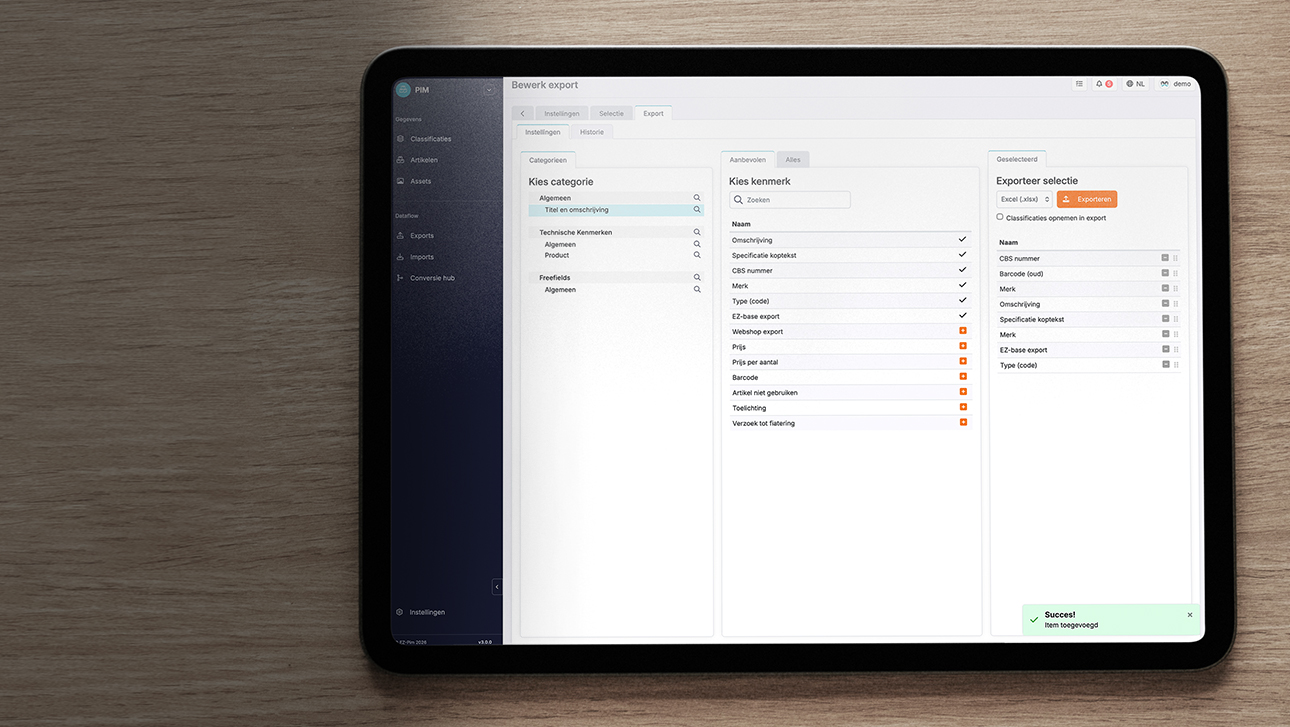
Yes! In Pimmix, you decide which product attributes to include in an export file. You can select attributes from different categories and specify which classification data to include. This way, you export only the information relevant to the intended purpose or sales channel.
-
Yes. In Pimmix, you can save an import mapping so that the next time you import, you don't have to specify again how the supplied data should be linked to your product structure. This is especially useful when you regularly receive files from the same supplier or data source. It saves you time and ensures that data is processed consistently.
-
Yes. You can reuse previously saved export settings, such as the selected items, attributes, and classification data. This means you don't have to set up recurring exports from scratch each time, and you can efficiently export product information again.
-
Yes! You can export product data from Pimmix to Excel, edit or add the information you want, and then import the file again. For example, you can change large numbers of product attributes at once. This makes managing and enriching your product range much more efficient.
-
Yes. You can choose which items you want to export, so you don't always have to include your entire product range. Combined with the option to select specific attributes and classification data, you can easily create an export that meets your needs.
-
Yes. You can choose the order in which the selected attributes appear in the export file. This allows the file structure to meet the recipient’s needs and requirements. This is useful when providing product data to suppliers, trading partners, or other systems that expect a specific format.