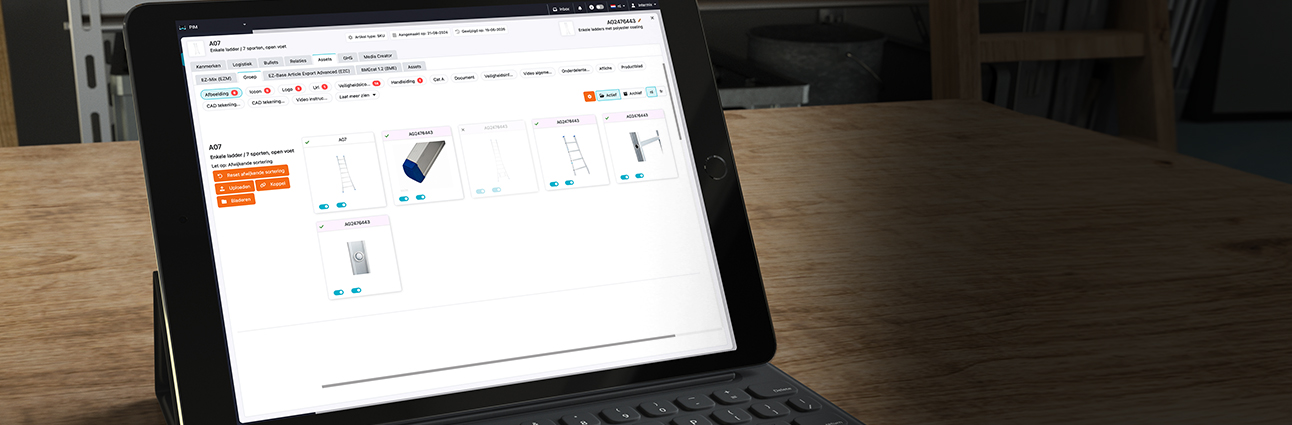

Features
Powerful tools designed to
improve your daily processes.
-
![Intuitive classification navigation]()
Intuitive classification navigation
Navigate product classifications easily.
-
![Search within classifications]()
Search within classifications
Find the right classification quickly.
-
![Multiple classification trees]()
Multiple classification trees
Manage multiple product structures at once.
-
![Flexible tree structure]()
Flexible tree structure
Configure classifications as desired.
-
![Manage classifications]()
Manage classifications
Manage and organize classifications centrally.
-
![Manage classification fields and assets]()
Manage classification fields and assets
Manage fields and files by classification.
-
![Collapse classification tree]()
Collapse classification tree
Collapse structures or adjust the width for a better overview.
-
![Link classifications to other structures]()
Link classifications to other structures
Link classifications to EZ-base or ETIM.
-
![Hide empty groups]()
Hide empty groups
Automatically hide empty classification groups.
-
![Compare classifications]()
Compare classifications
Compare classifications with each other.
-
![Filter classifications]()
Filter classifications
Filter classifications by relevant data.
-
![Clear matrix]()
Clear matrix
View products and features in one matrix.
-
![Article editing screen]()
Article editing screen
Edit product details in one overview.
-
![Product clusters and SKUs]()
Product clusters and SKUs
Manage product variants and individual items.
-
![Automatic cluster numbers]()
Automatic cluster numbers
Automatically assign numbers to clusters.
-
![Edit properties directly]()
Edit properties directly
Edit attribute values directly.
-
![Filter features]()
Filter features
Find features with targeted filters.
-
![Automatically inherit values]()
Automatically inherit values
Automatically inherit values within clusters.
-
![Manage attributes by classification]()
Manage attributes by classification
Set attributes per classification.
-
![Sort features]()
Sort features
Sort features as desired.
-
![Sort products by attributes]()
Sort products by attributes
Sort products by attribute values.
-
![Characteristics by publication channel]()
Characteristics by publication channel
Tailor features to each channel.
-
![Multiple values per attribute]()
Multiple values per attribute
Record multiple values per attribute.
-
![Flexible attribute fields]()
Flexible attribute fields
Configure attribute fields flexibly.
-
![Selection lists with fixed values]()
Selection lists with fixed values
Choose from preset values.
-
![Product data validation]()
Product data validation
Check product data for errors.
-
![Required product attributes]()
Required product attributes
Make sure the required attributes are filled in.
-
![Multilingual product attributes]()
Multilingual product attributes
Manage attributes in multiple languages.
-
![Product relationships]()
Product relationships
Link related products and accessories.
-
![GHS product data]()
GHS product data
Manage product data for GHS.
-
![Reuse GHS data]()
Reuse GHS data
Reuse existing GHS data.
-
![Source information per product value]()
Source information per product value
View the source of each product value.
-
![Select articles for export]()
Select articles for export
Choose which articles you want to export.
-
![Dynamic export selections]()
Dynamic export selections
Create flexible selections for exports.
-
![Select features for export]()
Select features for export
Choose which attributes to export.
-
![Recommended features]()
Recommended features
Use recommended attributes for your export.
-
![Change export order]()
Change export order
Choose the order of features yourself.
-
![Export classification level as well]()
Export classification level as well
Include classification data in your export.
-
![Save export settings]()
Save export settings
Save settings for repeated use.
-
![Reimport with saved structure]()
Reimport with saved structure
Import data again using the same structure.
-
![Import Excel files]()
Import Excel files
Import product data from Excel.
-
![Export to Excel]()
Export to Excel
Export product data to Excel.
-
![Save import mappings]()
Save import mappings
Save data mapping settings.
-
![Save import mappings]()
Save import mappings
Save data mapping settings.
-
![ERP integrations]()
ERP integrations
Connect Pimmix to ERP systems.
-
![Data pool connections]()
Data pool connections
Retrieve product data from data pools.
-
![Combining multiple data sources]()
Combining multiple data sources
Combine data from different sources.
-
![Automatic data synchronization]()
Automatic data synchronization
Keep product data automatically up to date.
-
![Source labels for product values]()
Source labels for product values
See which source the values come from.
-
![Manual corrections while preserving the source]()
Manual corrections while preserving the source
Correct values without losing source information.
-
![Golden Record]()
Golden Record
Combine sources into one reliable value.
-
![Automatic source selection]()
Automatic source selection
Automatically select the correct data source.
-
![Manual values as preferred source]()
Manual values as preferred source
Prioritize manually entered values.
-
![Normalize units]()
Normalize units
Convert units to a uniform standard.
-
![Keep EZ-base-data]()
Keep EZ-base-data
Retain data from EZ-base.
-
![Custom flexible couplings]()
Custom flexible couplings
Align integrations with your systems.
-
![Manage pricing information]()
Manage pricing information
Manage pricing information centrally.
-
![Import and export]()
Import and export
Import and export price lists easily.
-
![Create and validate]()
Create and validate
Create price lists and check the data.
-
![Forward to specialist retailers]()
Forward to specialist retailers
Distribute price lists to specialist retailers.
-
![Mapping]()
Mapping
Map data fields to the correct attributes.
-
![Categorize and filter]()
Categorize and filter
Organize and filter price lists clearly.
-
![Prepare price lists]()
Prepare price lists
Prepare price lists for further processing.
-
![Download standardized lists]()
Download standardized lists
Download price lists in a fixed structure.
-
![Central asset management]()
Central asset management
Manage all product files in one place.
-
![Link assets to products]()
Link assets to products
Link files to products.
-
![Custom asset categories]()
Custom asset categories
Organize assets into your own categories.
-
![Shared assets]()
Shared assets
Use one asset for multiple products.
-
![Asset overview by product]()
Asset overview by product
View all assets by product.
-
![Import and export assets]()
Import and export assets
Import and export product files.
-
![Asset validation]()
Asset validation
Check assets for validity.
-
![Upload files flexibly]()
Upload files flexibly
Easily upload different files.
-
![Check import results]()
Check import results
Check the results of imports.
-
![Free choice of AI provider]()
Free choice of AI provider
Choose which AI provider you use.
-
![Manage your own AI prompts]()
Manage your own AI prompts
Set up AI instructions yourself.
-
![Manage your own AI prompts]()
Manage your own AI prompts
Set up AI instructions yourself.
-
![Generate AI content in bulk]()
Generate AI content in bulk
Generate content for multiple products at once.
-
![Only fill in missing values]()
Only fill in missing values
Automatically fill in only missing values.
-
![AI source recognition]()
AI source recognition
Identify values generated by AI.
-
![AI validation]()
AI validation
Review AI-generated product data.
-
![Automatic AI translations]()
Automatic AI translations
Automatically translate product information with AI.
-
![Manually approve AI translations]()
Manually approve AI translations
Approve AI translations yourself.
-
![Translation settings per attribute]()
Translation settings per attribute
Set translation rules for each attribute.
-
![Create marketing materials]()
Create marketing materials
Create product sheets, catalogs, leaflets, product shelf cards and promotional brochures.
-
![Product content for multiple channels]()
Product content for multiple channels
Prepare product content for different channels.
-
![Configure publication properties]()
Configure publication properties
Decide which attributes you publish.
-
![Align characteristics by classification]()
Align characteristics by classification
Align product attributes with classifications.
-
![Manage multilingual content]()
Manage multilingual content
Manage product content in multiple languages.
-
![Make product assets available]()
Make product assets available
Make product files available for publication.
-
![User and permissions management]()
User and permissions management
Manage users and their access rights.
-
![Custom user profiles]()
Custom user profiles
Align user profiles with roles.
-
![Unlimited number of users]()
Unlimited number of users
Allow multiple users to collaborate.
-
![Flexible system configuration]()
Flexible system configuration
Configure the system as desired.
-
![Multilingual interface and content]()
Multilingual interface and content
Work with multiple languages.
-
![Set languages per attribute]()
Set languages per attribute
Set languages by attribute.
-
![Informational help windows]()
Informational help windows
Get explanations where you need them.
-
![Personal explanation and notes]()
Personal explanation and notes
Add your own explanations and notes.
-
![Units and default values]()
Units and default values
Manage units and default values.
-
![Feature categories]()
Feature categories
Group features into categories.
-
![Feature icons]()
Feature icons
Provide features with recognizable icons.
-
![Required fields and validations]()
Required fields and validations
Set required fields and validations.
-
![AI settings per attribute]()
AI settings per attribute
Configure AI for each attribute.
-
![Golden Record settings]()
Golden Record settings
Determine how source values are combined.
-
![Secure cloud environment]()
Secure cloud environment
Work in a secure cloud environment.
-
![Data encryption]()
Data encryption
Protect data with encryption.
-
![Two-factor authentication and access control]()
Two-factor authentication and access control
Secure access with additional verification.
-
![Monitoring, backups and security tests]()
Monitoring, backups and security tests
Support security with monitoring and backups.