Version releases
 V3.0
Update 3.0
General
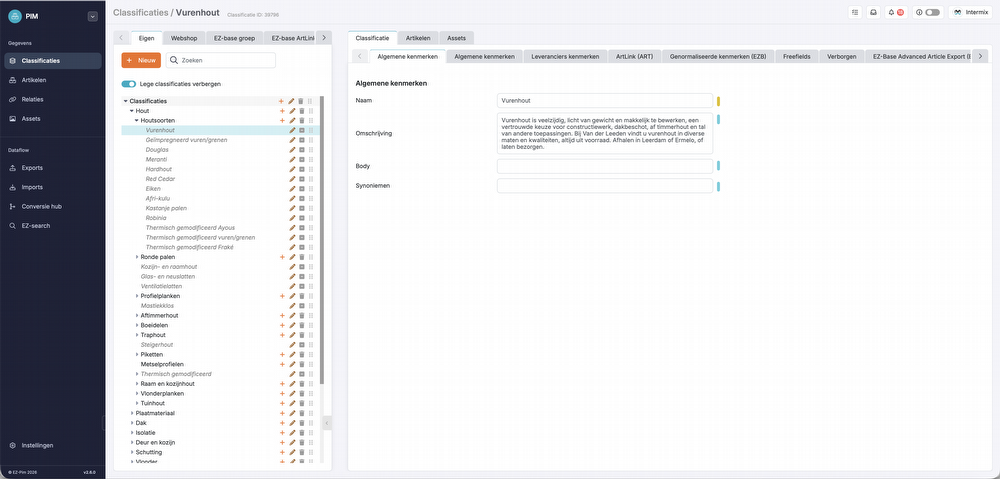
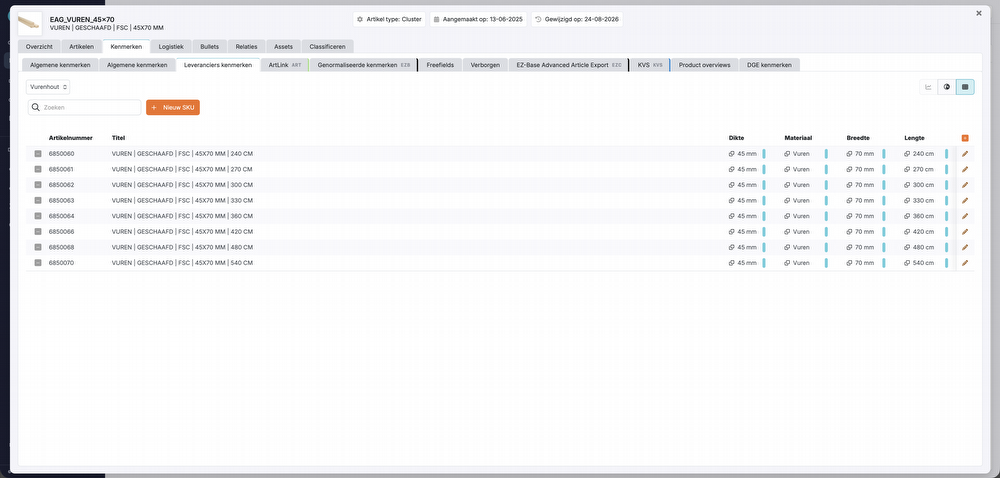
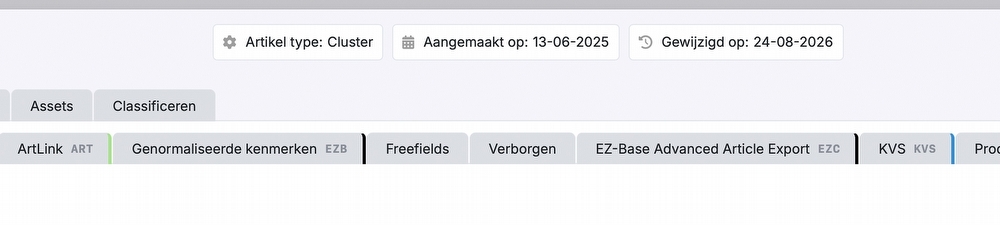
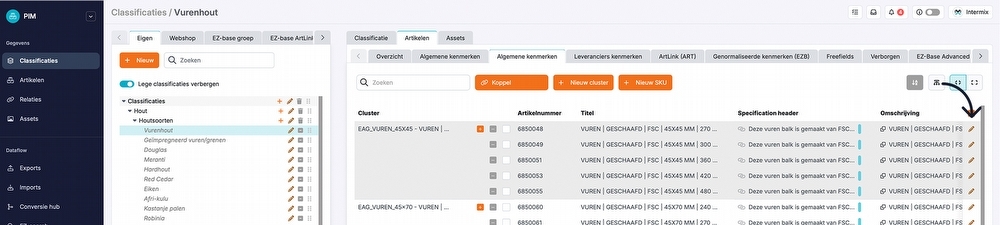
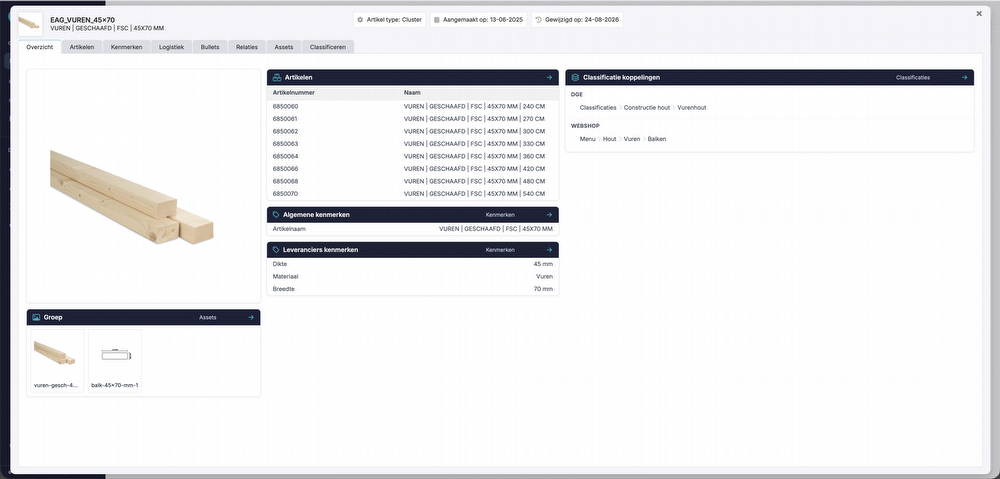
Updated interface
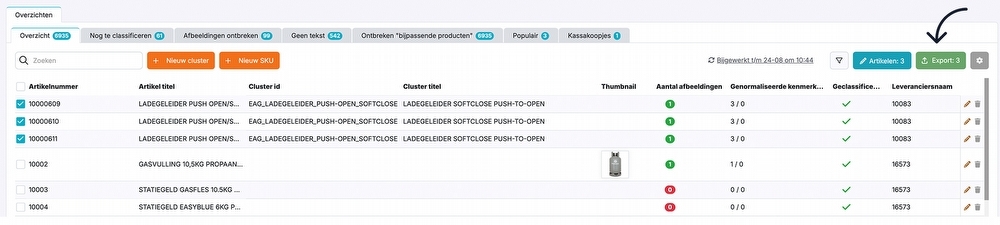
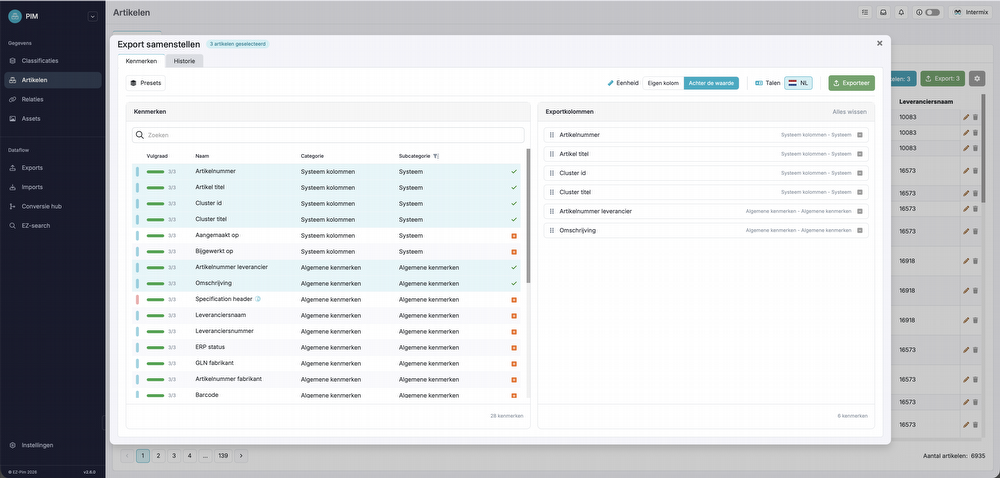
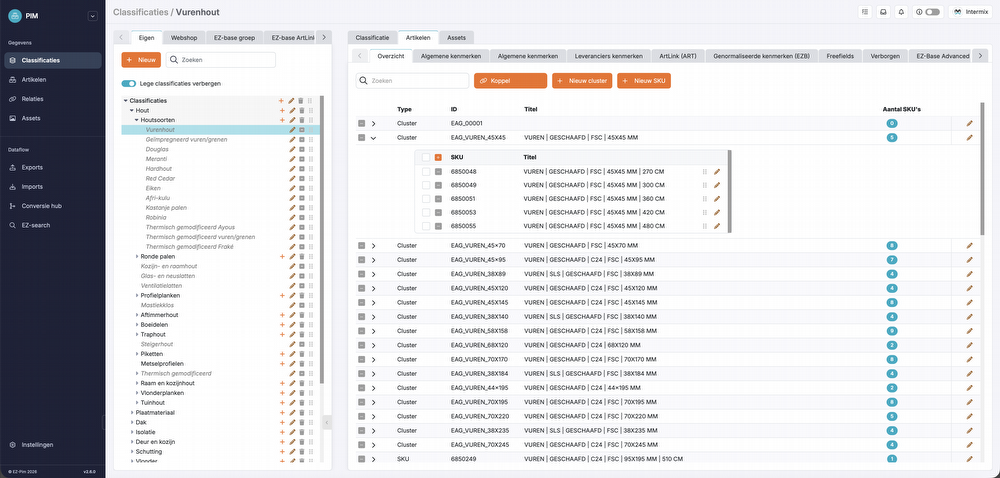
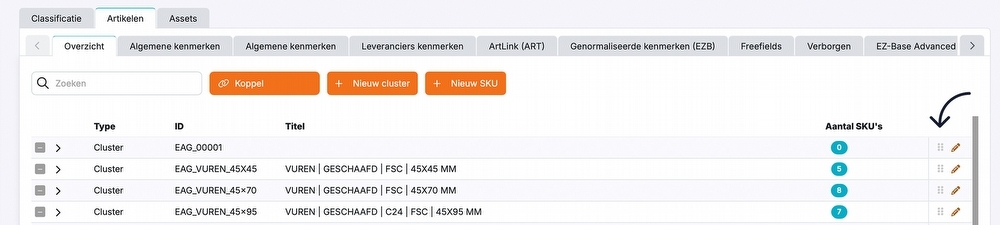
Pimmix has a refreshed, modern interface. The layout is cleaner and easier to navigate, with font sizes standardized, among other changes. The left and top bars have also been updated, and breadcrumbs make it clearer where you are within Pimmix.
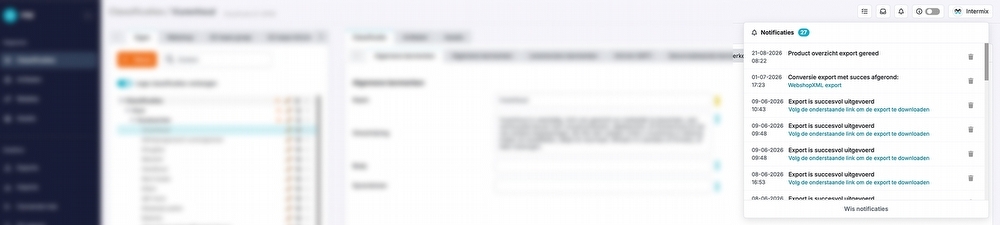
Improved notification panel
The notification panel has a refreshed look. Notifications are still displayed at the top of the screen, but the interface has been updated to make it clearer and more modern. Font sizes have been standardized here too.
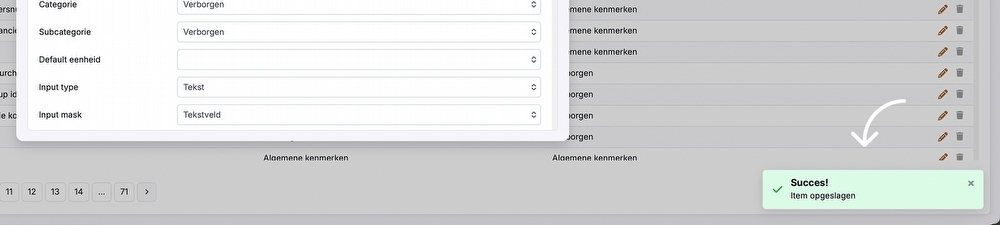
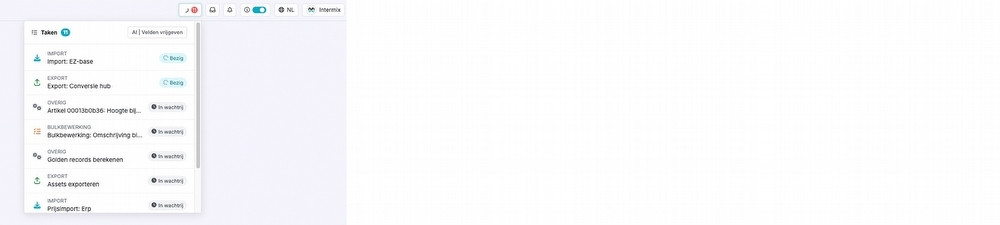
Alerts
 24-8-2026
 Reading time
V2.6
Update 2.6
Articles
Filtering by attributes
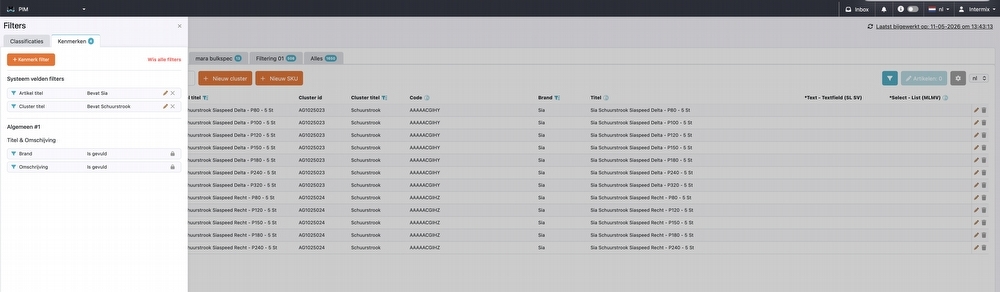
You could already filter by classifications and the columns in the overview, but you can now also filter by all attributes. A new ‘Attributes’ tab has been added to the filters for this purpose.
Once a filter is set, the filter icon becomes active. Click this icon to open an overview of all active filters. In the ‘Attributes’ tab, you can see both the attribute filters you have set and the fixed filters. From this overview, you can easily add, edit, or remove filters.
Classification filters
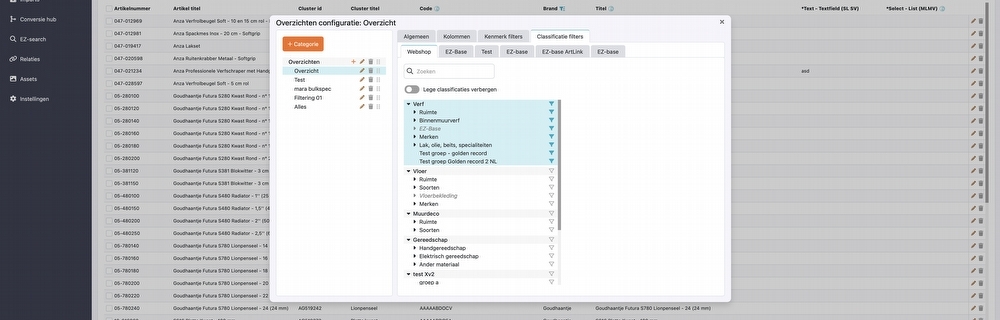
When retrieving and editing an overview’s configuration, you can set fixed filters and columns. The new ‘Classification filters’ tab is now available for this as well.
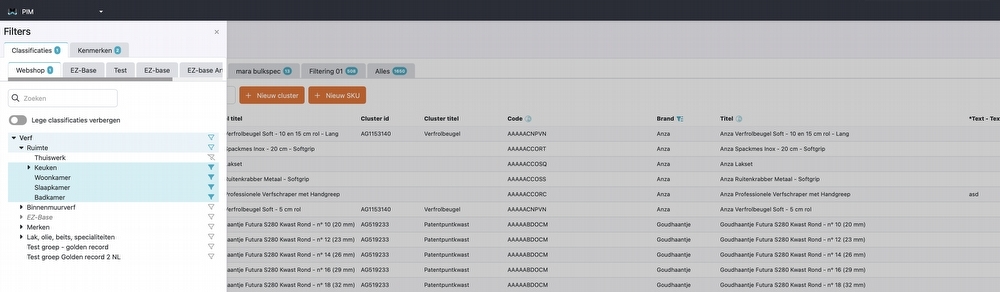
This tab lets you set a fixed set of classification filters in addition to a fixed set of attribute filters. When you select a classification, the filter is applied to the overview immediately. You will then see only the articles that fall within the selected classification.
Media Creator
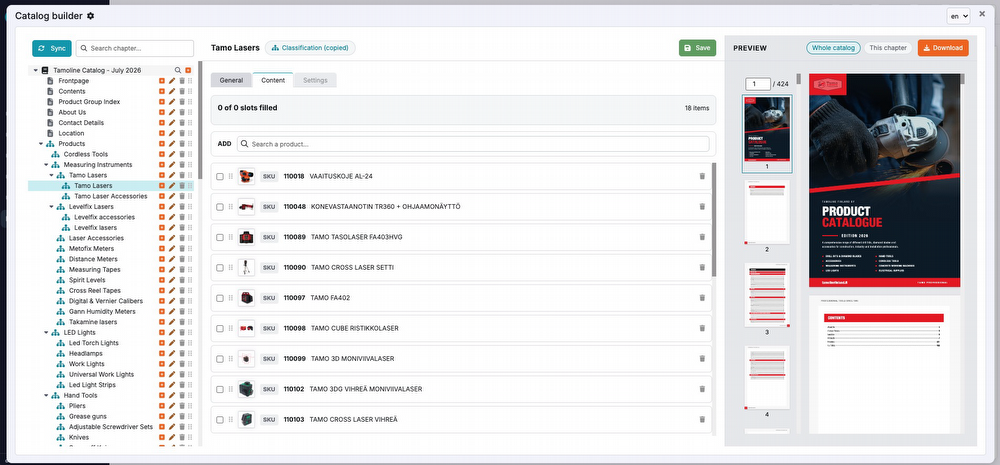
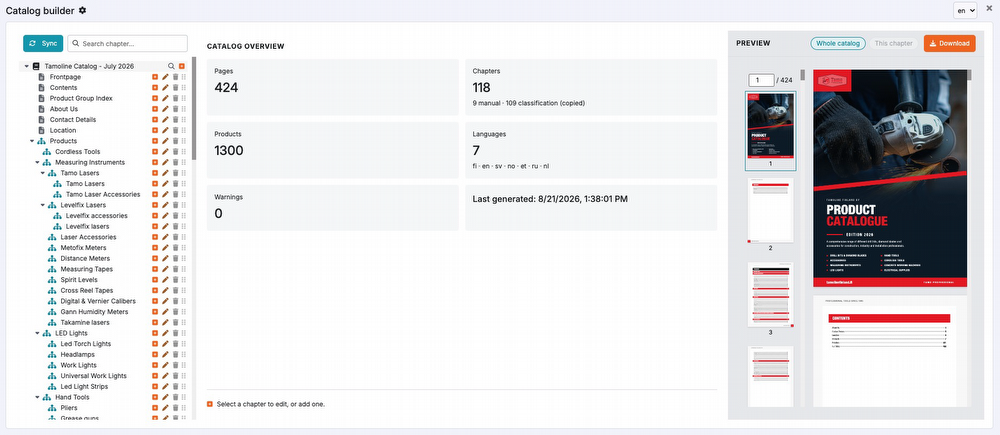
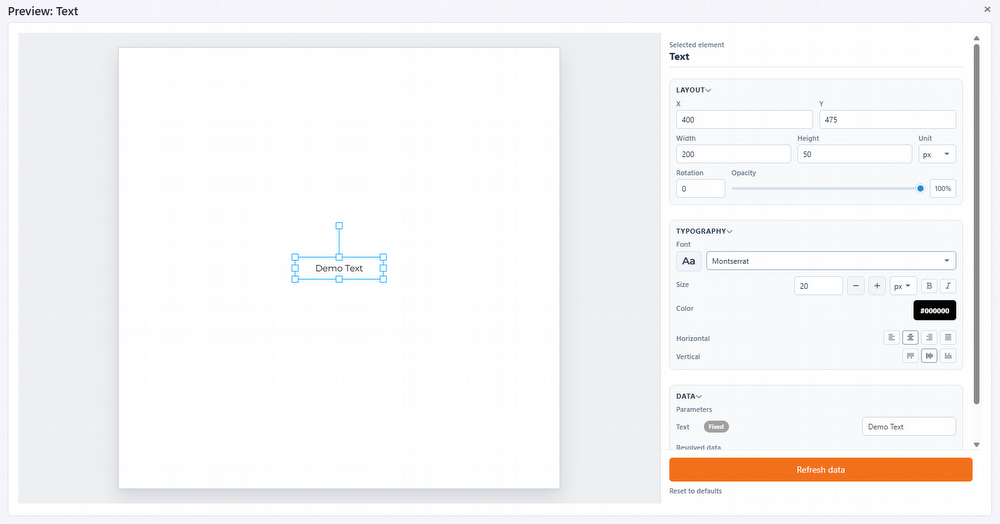
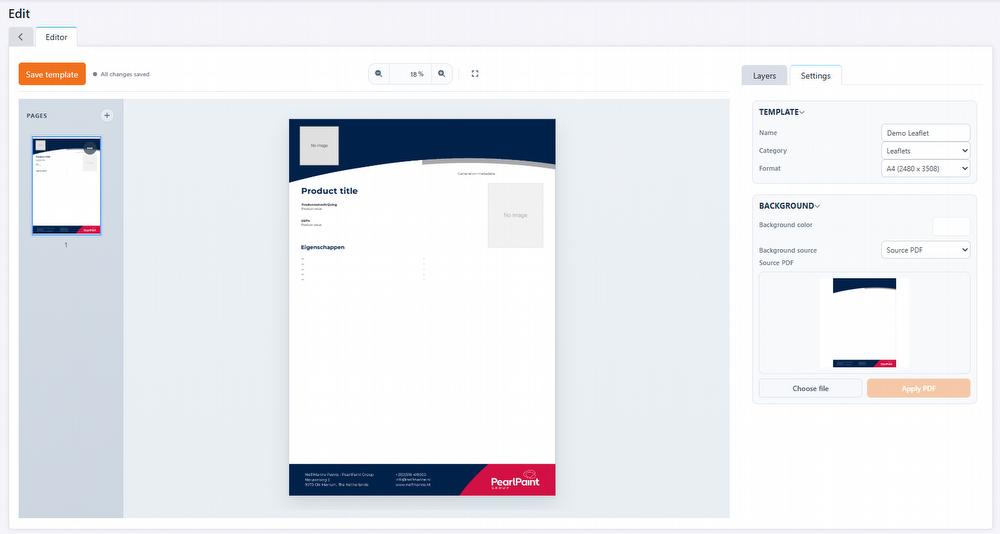
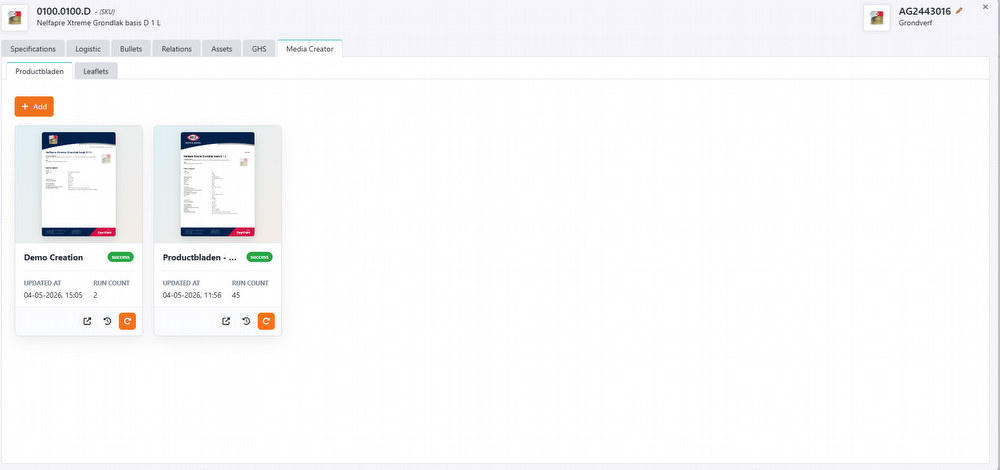
The new ‘Media Creator’ module makes it easy to create publication materials, such as product leaflets, catalogs, and other media. These publications are automatically populated with articles and product information from the PIM system. In Media Creator, you can visually assemble your own templates using content blocks and elements. You can build a unique template for each type of publication, tailored to your specific needs, whether for leaflets, product sheets, or other marketing materials.
The created media are added to the assets and can easily be linked to articles.
Conversion Hub
Improved EZ-Mix sync
Synchronization between the PIM and the EZ-Mix webshop has been further improved. As a result, data is exchanged more reliably and consistently between the two systems.
Bug fixes
We have fixed several bugs and improved features.
Want to read about these bug fixes? Check the update button in your PIM system!
Please note!
Some (new) features may not be immediately available or visible in the PIM system. Additional costs may apply.
11-5-2026
Reading time
V2.5
Update 2.5
Products
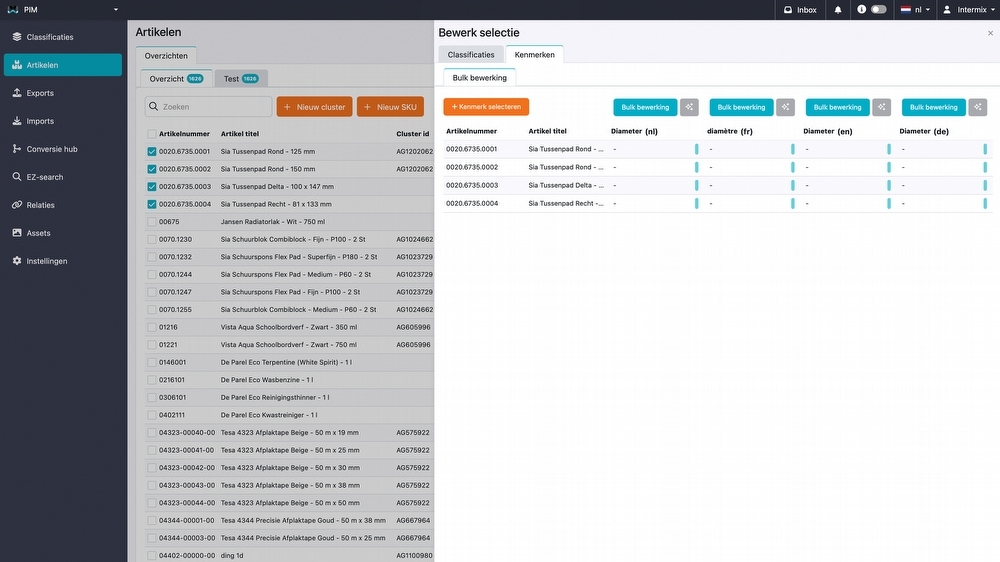
Bulk editing
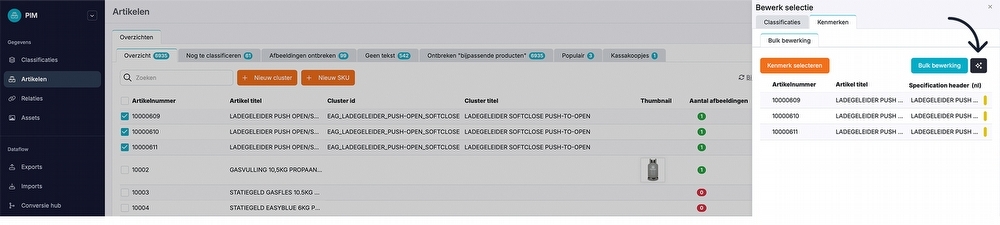
A new feature has been added to the PIM system: bulk editing. With bulk editing, you can change product attributes for multiple products at once and classify products on a large scale. After selecting the desired products, you can fill in several attributes at once.
Assets
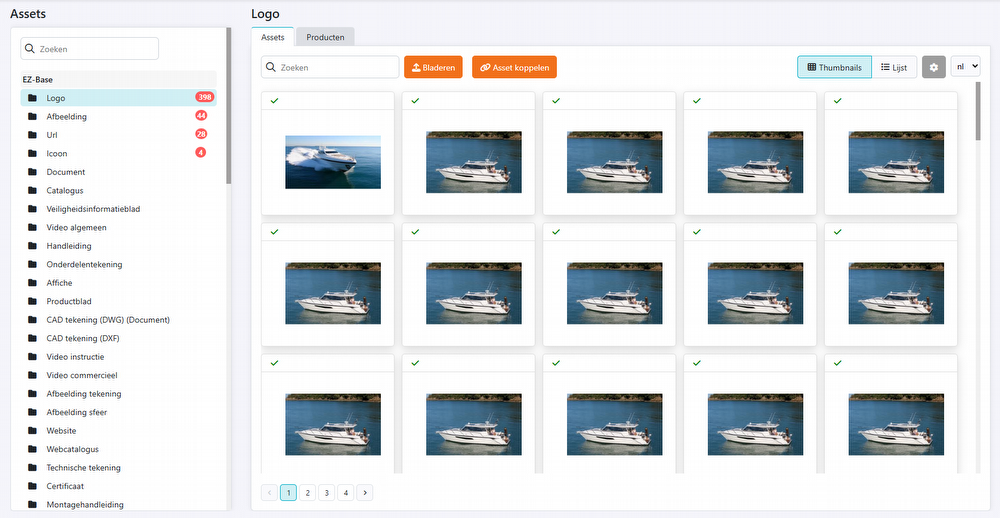
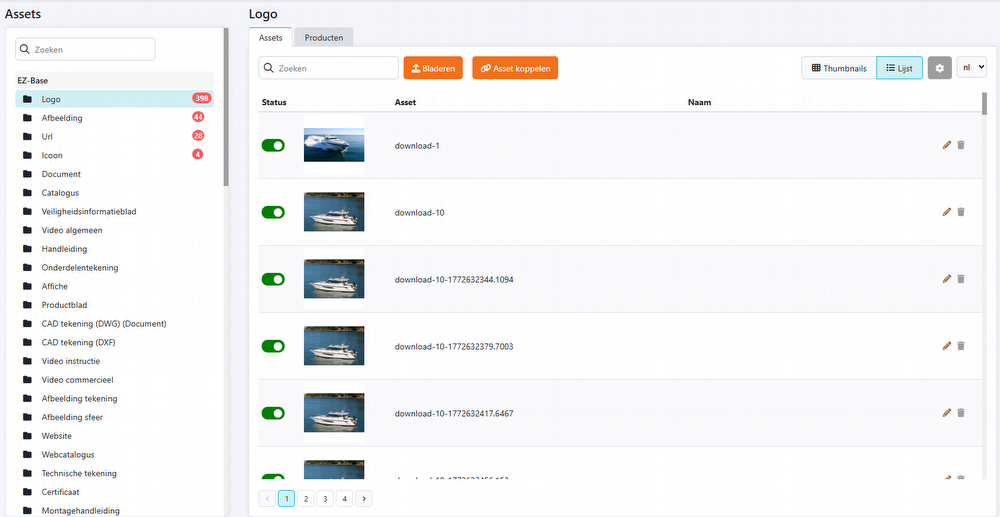
Several improvements have been made to the display in the 'assets' section, making information clearer and more consistent. Pagination has also been added for large lists.
Pricing module
Comparison overview
We have expanded and improved the comparison overview in several ways to make analyzing and exporting data easier and more comprehensive.
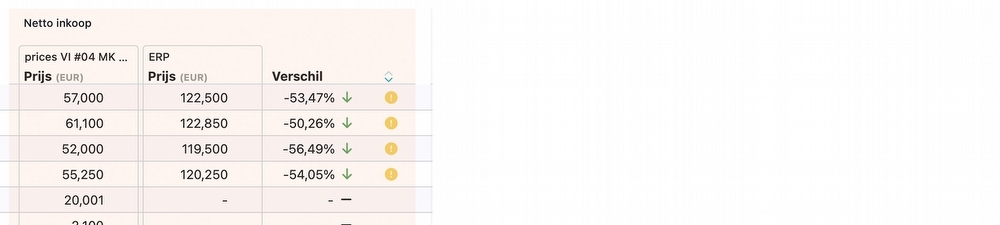
1. Data discrepancies can now be sorted
You can now easily sort fields with discrepancies using the sort icon in the column header. This displays products with discrepancies at the top, so you can see at a glance which products need attention.

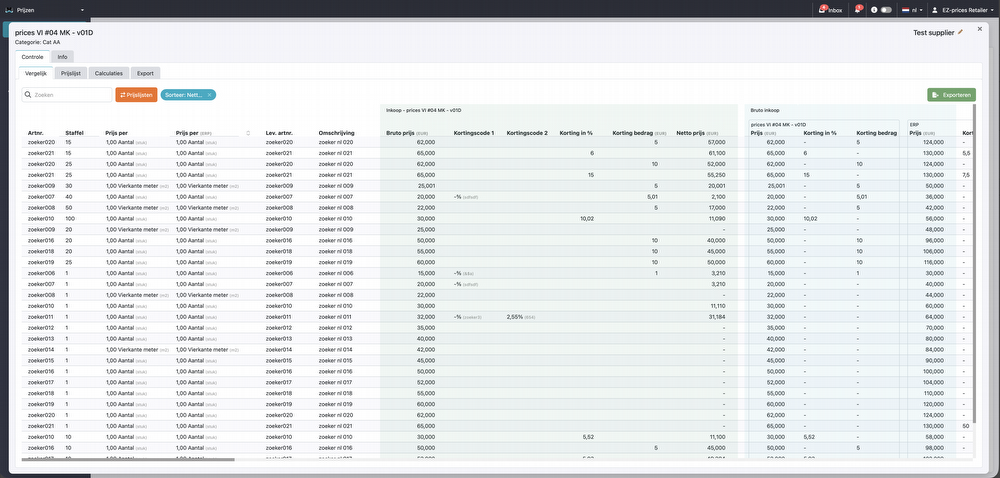
2. Discount codes added to price types
Discount codes have been added to the price types in the overview. They are now also automatically included when exporting a price list, ensuring that the export fully matches the displayed data.
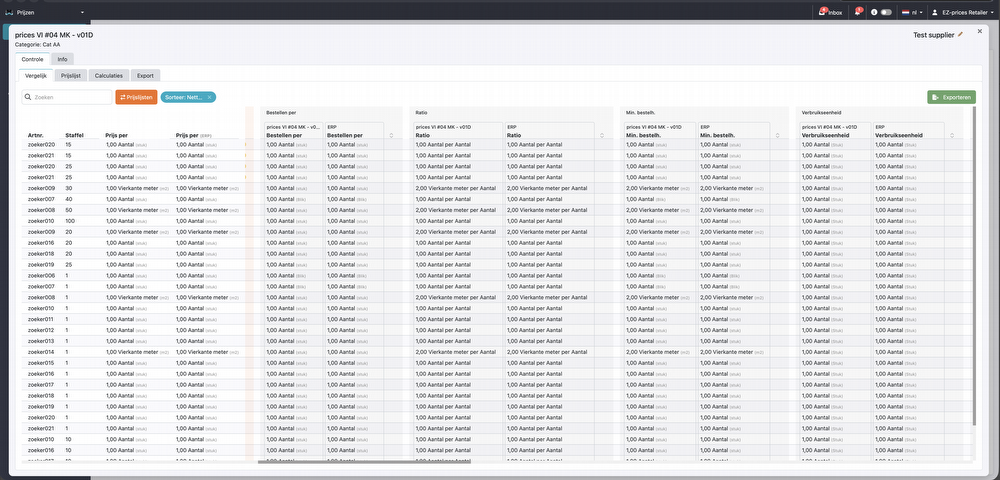
3. Variable pricing/ordering units added
The following columns have been added to the price lists:
-
Order in multiples of
-
Ratio
-
Minimum order unit
-
Consumption unit
4. Exporting
All available columns are now included when exporting price lists. This also applies to discount codes, discrepancies, and the newly added columns. The export is now fully aligned with the overview.
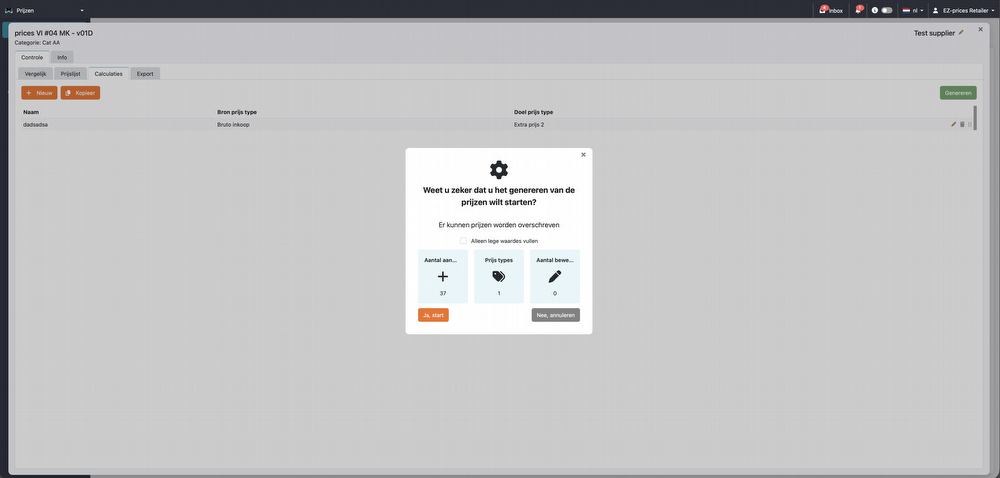
Calculations: ''Fill empty values only''
A new ‘Fill empty values only’ button has been added to calculations. This feature lets you fill only empty fields at once without overwriting existing values. This is particularly useful when you want to complete calculations while retaining data entered or adjusted earlier.
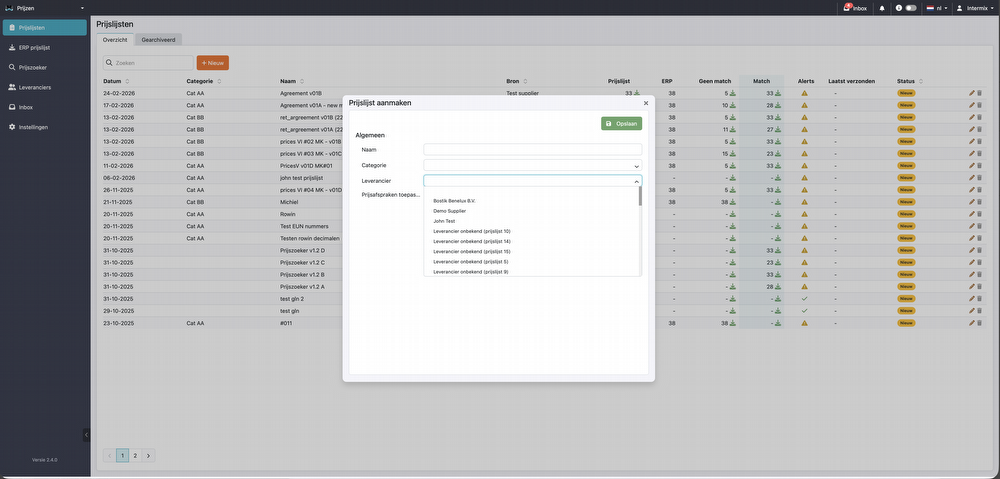
Import supplier price list: add a new supplier
When importing a new price list, you can select a supplier. Existing suppliers are automatically displayed in the dropdown list. Is the supplier you need not listed yet? You can create it directly using the ‘New’ button. The supplier is then automatically added to the supplier list and is immediately available for further processing.
Default discount code for new price lists
If an imported price list does not include a discount code but a supplier discount applies, a default discount code will now be added automatically.
Supplier management
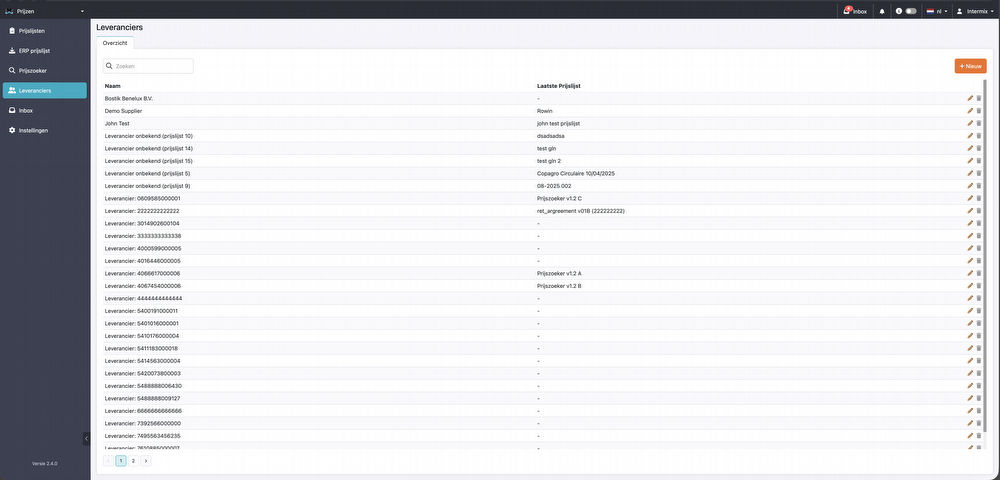
A new tab has been added to the pricing module: Suppliers. This overview brings all your suppliers together in one place. When you receive a price list from a new supplier, that supplier is automatically added to the supplier overview. You can also add suppliers manually. Supplier terms, such as discounts and discount codes, can also be viewed and recorded at the supplier level in this overview. This lets you manage all agreements centrally in one place.
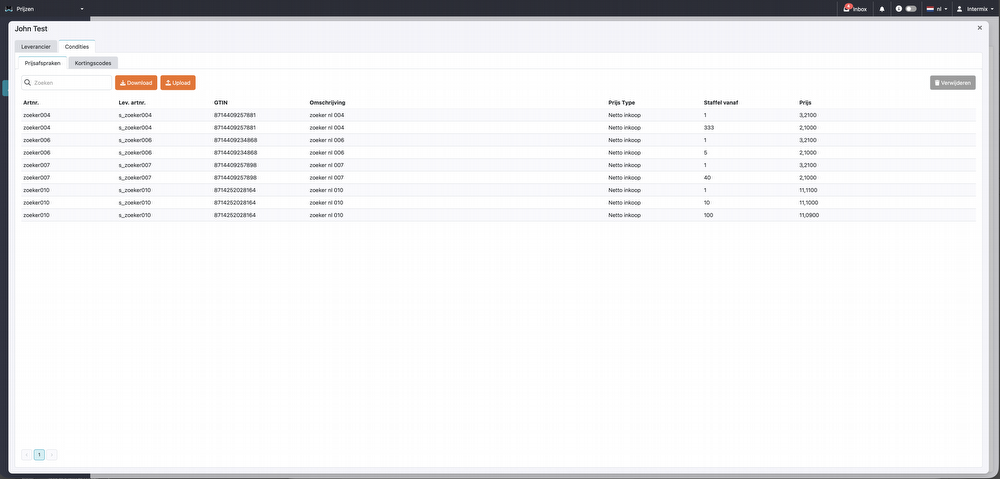
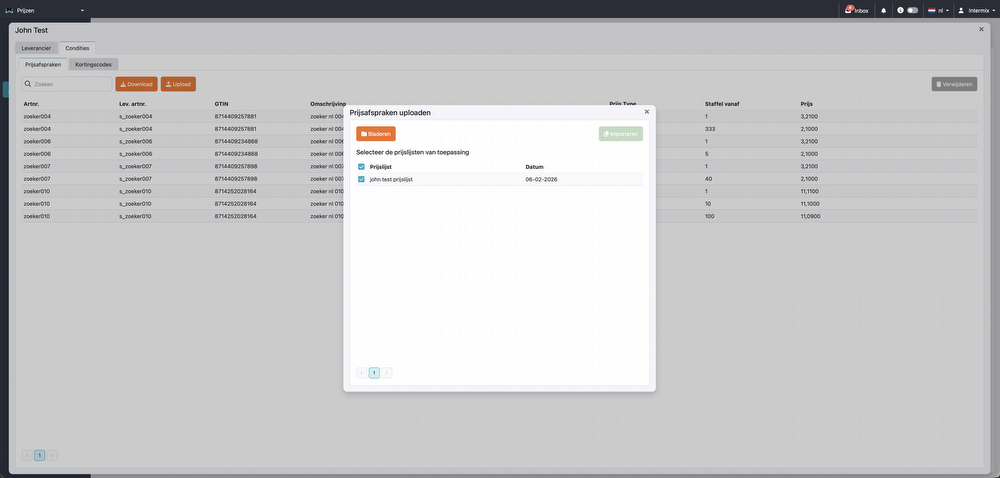
Fixed price agreements per supplier
You can now import a list of fixed price agreements for each supplier.
After uploading, these fixed price agreements are automatically added to the comparison overview. This allows you to include fixed agreements directly in your price comparison.
General
File browser
A new file browser option has been added.
Bug fixes
We have fixed a number of bugs and improved features.
Want to read about these bug fixes? Check the update button in your PIM system!
Please note!
Some (new) features may not be immediately available or visible in the PIM system. Additional costs may apply.
4-3-2026
Reading time
V2.4
Update 2.4
Assets
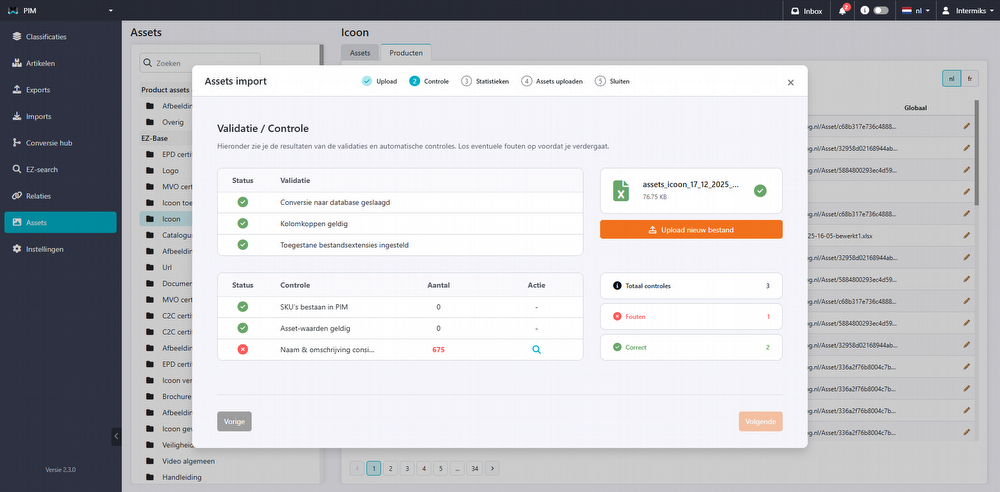
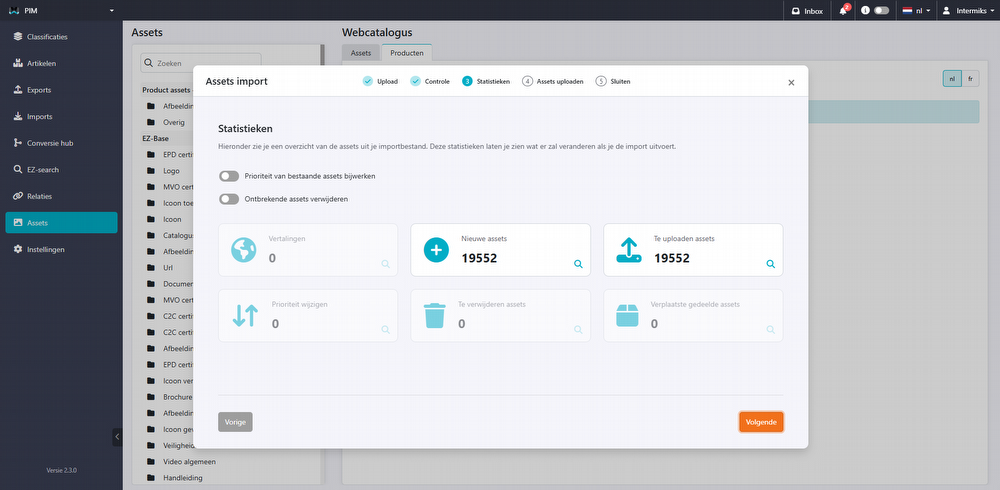
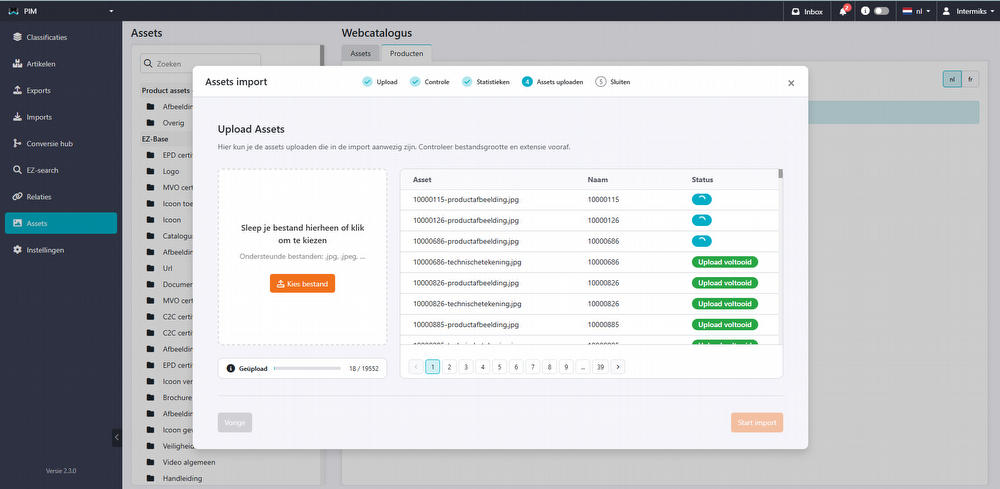
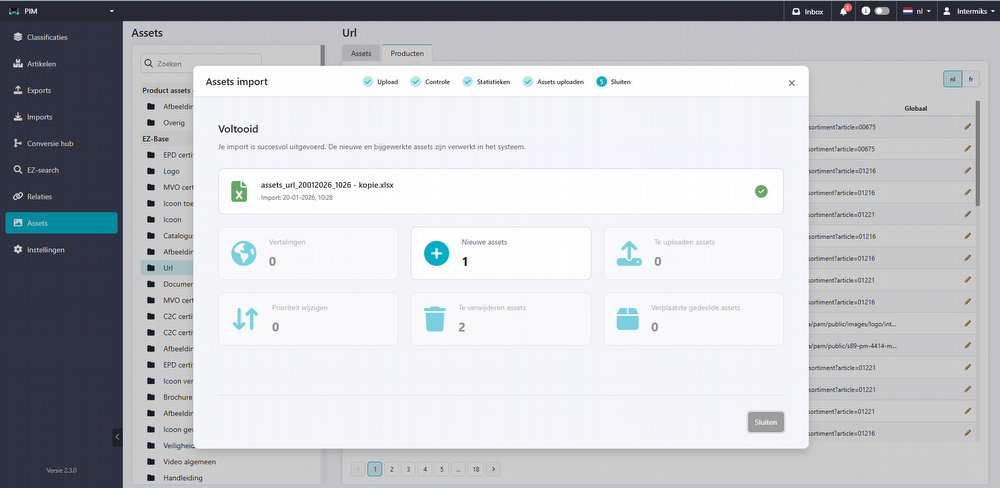
A new feature has been added to the PIM: importing and exporting assets. This feature lets you add a large number of assets to an entire range or group of items at once. This saves time and makes asset management clearer and more efficient.
Product asset overview
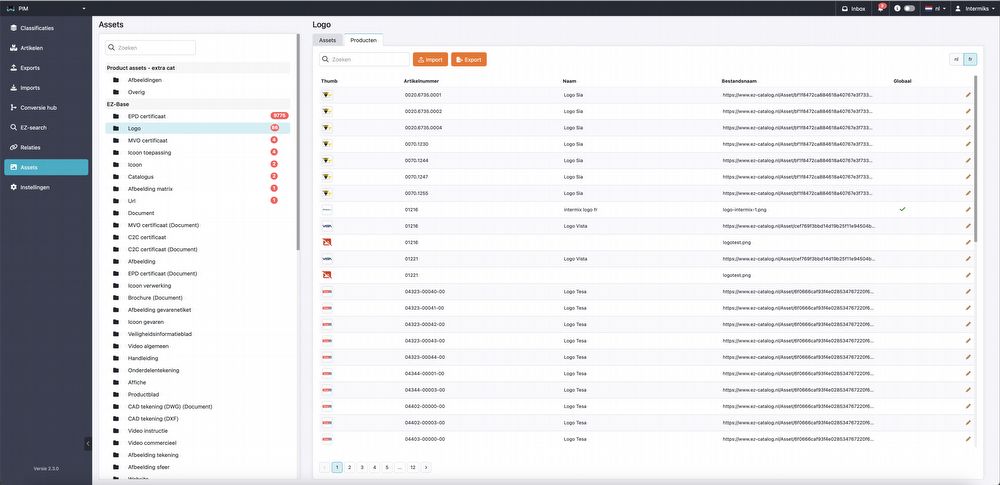
The new feature is available under the ‘Assets’ tab. Here you can see an overview of all global assets that can be reused within the PIM. When you open an asset group, you will see a new tab next to the asset overview: ‘Products’. This tab displays the same assets, but linked to specific items. You can see, among other things:
-
Item name
-
Item number
-
File name
-
Global indicator
If ‘global’ is checked, it is a general asset that can also be found in the general asset list. If it is not checked, the asset was uploaded directly via the product.
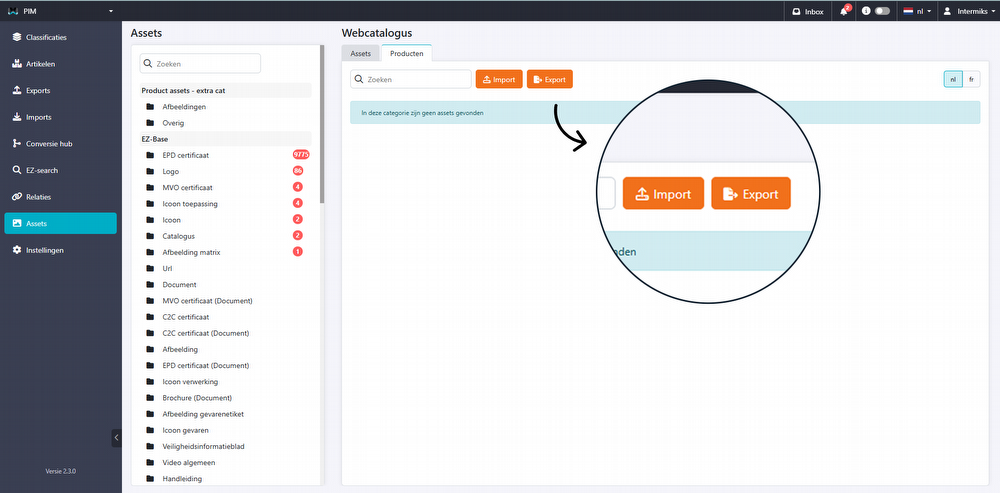
Export feature
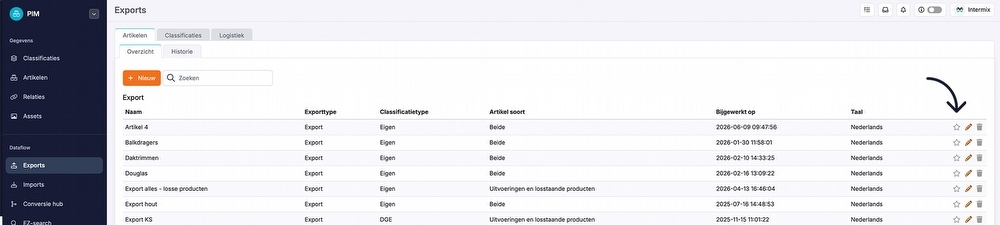
The export feature automatically generates an Excel file containing all assets.
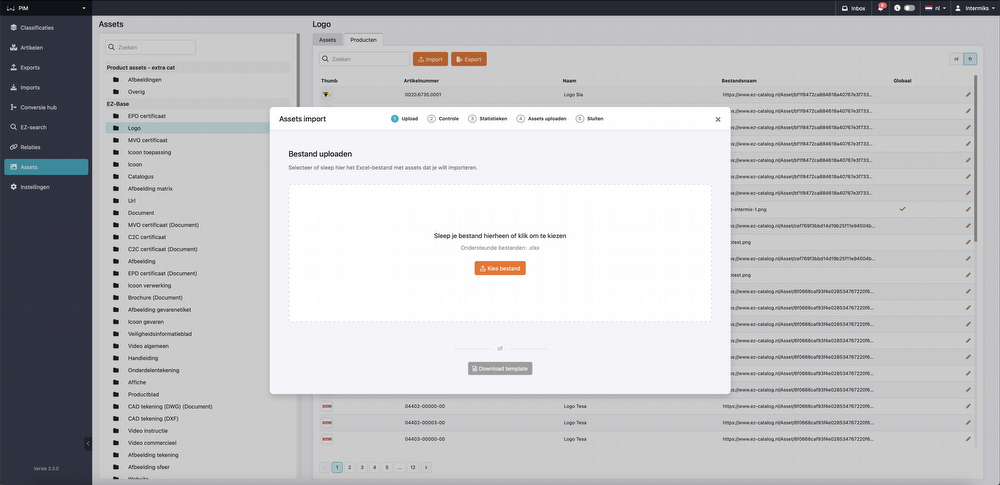
Import feature
When you reimport a file, changes are applied directly in the PIM system.
The updated import process automatically validates your data and provides a clear overview of new and existing assets, missing information, and priority changes. Uploading is easy, via drag & drop or manual selection, with real-time progress tracking. Once complete, you receive a clear summary of all actions. These improvements make managing your assets faster, clearer, and more reliable than ever.
ConversieHub
2BA DICO export
-
The export has been split into two separate exports: “item” and “product”, to better support different selections.
-
A validation screen has been added to check exports beforehand.
GS1
- Updated to the latest version.
Settings
Attributes
Searching within attributes now supports all languages, making it easier to manage and find data.
Bug fixes
We have fixed a number of bugs and improved features.
Want to read about these bug fixes? Check the update button in your PIM system!
Please note!
Some (new) features may not be immediately available or visible in the PIM system. Additional costs may apply.
20-1-2026
Reading time